• Home
  • Crafts
    • Wreaths
    • Back to School Crafts
    • Christmas Crafts
    • Father’s Day Crafts
    • Fourth of July Crafts
    • Halloween Crafts
    • Kid’s Projects
    • Mother’s Day Crafts
    • Thanksgiving Crafts
    • Valentine’s Day Crafts
  • Recipes
    • Christmas Recipes
    • Fourth of July Recipes
    • Halloween Recipes
    • Thanksgiving Recipes
    • Appetizers
    • Beverages
    • Breakfast
    • Dessert
    • Main Dish
    • Side Dish
    • Soups & Salads
    • Snacks
  • Freebies
    • Back to School Printables
    • Christmas Printables
    • Father’s Day Printables
    • Fourth of July Printables
    • Halloween Printables
    • Mother’s Day Printables
    • Thanksgiving Printables
    • Valentine’s Day Printables
  • xTool
  • About
    • About CCL
    • Privacy Policy
    • Disclosure
    • Contact Us
    • Email
    • Facebook
    • Instagram
    • Pinterest
    • RSS
    • Twitter

Create Craft Love

February 11, 2014 ·

Personalize Your Store Bought Valentines

Freebies· Holidays

  • Facebook
  • Twitter

This post may contain affiliate links. See my disclosure policy for more details.

While we were at Michaels the other day preparing for the Michaels and Hometalk Pinterest Party {you can read about it HERE}, we stumbled across the foam Valentines.  I had planned on using the Love Bug Pops but Reed was pretty excited over the idea of getting to put these together himself.  We settled in on Saturday night for some Valentine making fun!  The only thing that I didn’t like about these Valentines was there was no note or place to sign.  I’m going to show you a simple way to personalize your store bought Valentines and the best part is you still have time to whip them up!
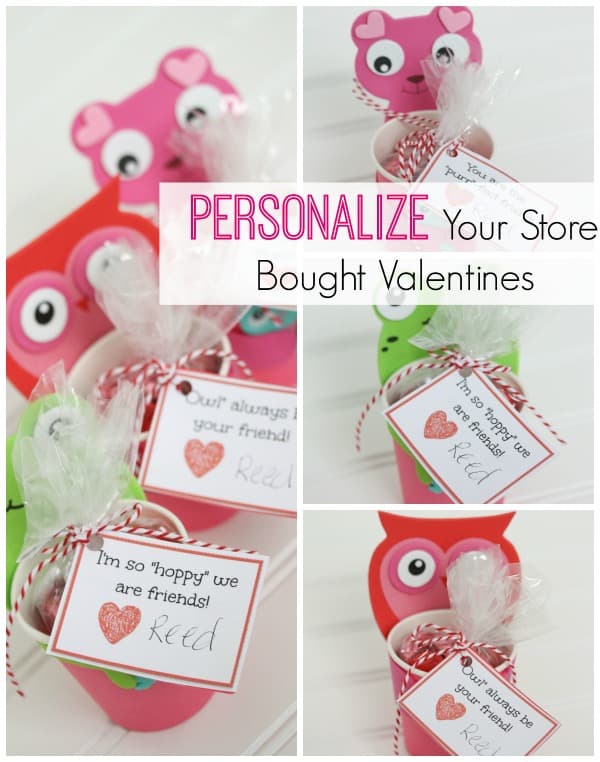
I'm going to show you a simple way to personalize your store bought Valentines and the best part is you still have time to whip them up! #valentinesday #valentinecrafts #printables #tutorial

I use PicMonkey to create a lot of my printables.  It’s a free online photo editing service.  It’s super easy to use and I’m going to walk you through creating your own Valentine printable.

Start by going to PicMonkey.  Click HERE.

Choose the “design” option.
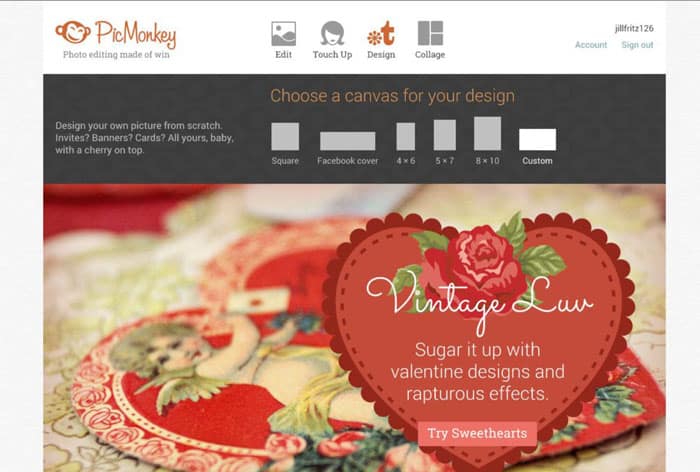
picmonkey1

Change your size to 600 x 400 pixels {horizontal orientation}.  You can reverse the numbers for a vertical orientation.
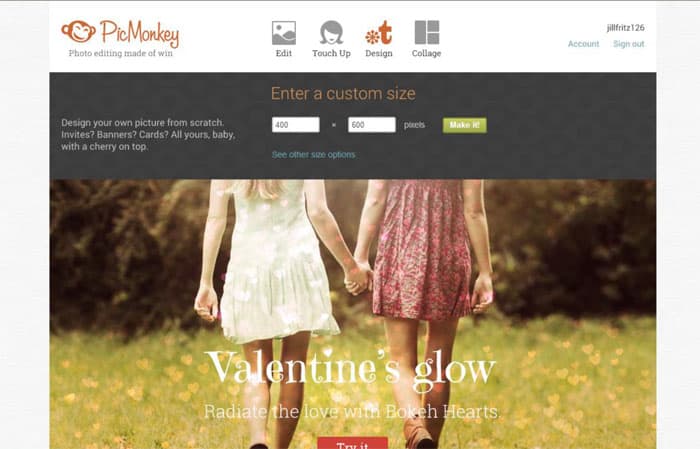
picmonkey2

The next screen that pulls up will have your blank rectangle.  On the far left of the page is the text icon which looks like “Tt”.  Once you click on that icon, it will bring up a variety of different fonts that are available for your use.  Anything with a crown is part of the paid package and unavailable unless you pay for the upgrade.
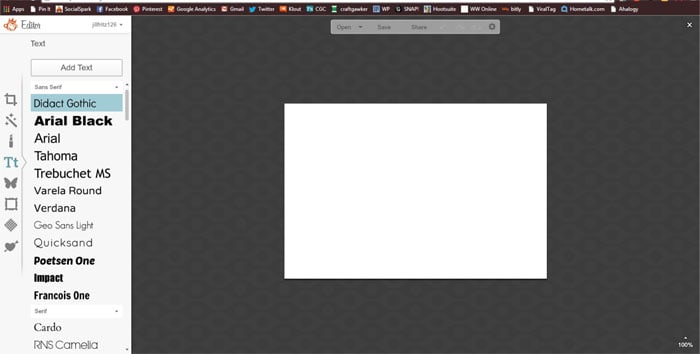
picmonkey3

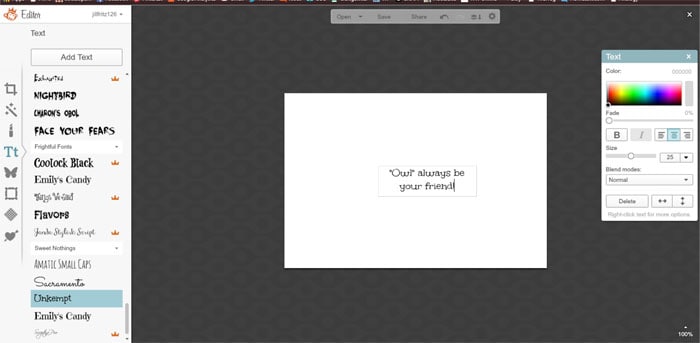
Choose your font and click “Add Text” at the top.  This action will bring up a text box on your rectangle.
picmonkey4

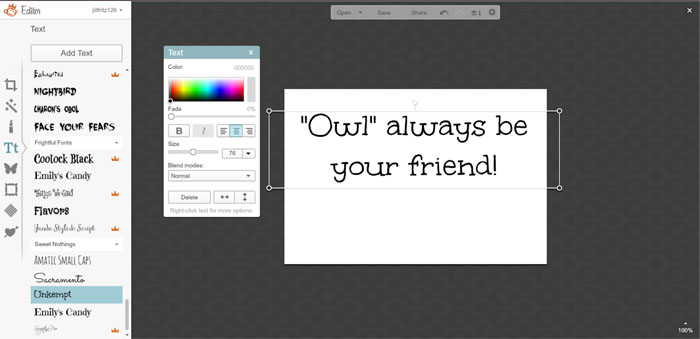
Here you will have the option of adjusting alignment, color, size, etc.  Play around with it and adjust to your liking.  I enlarged and centered mine.
picmonkey5

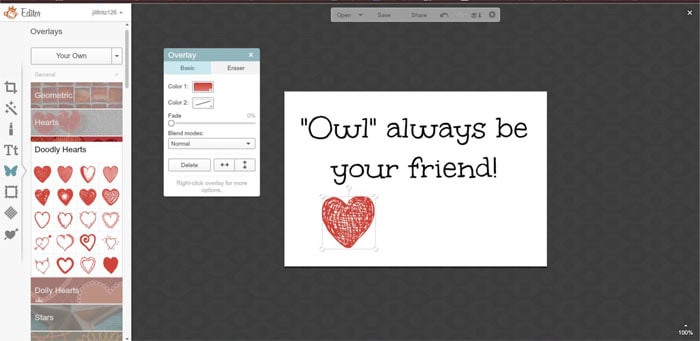
Then, I placed a cute doodled heart clip art under the text with room for signature.  To do this, click on the butterfly icon on the far left.  This will bring up all of the different overlays.
picmonkey6

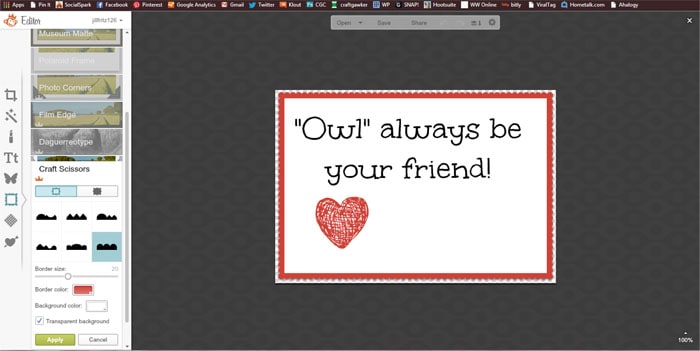
Finally, I added a fun little frame to act as a border.  To access the frames, click on the frame icon on the far left.

Hint:  To match colors, use the eyedropper in the small box.  Click on the color you want to match and the border will match it.  I wanted it to be the same color as my heart so I clicked on the eyedropper and then clicked on a sample of color in the heart.
picmonkey7

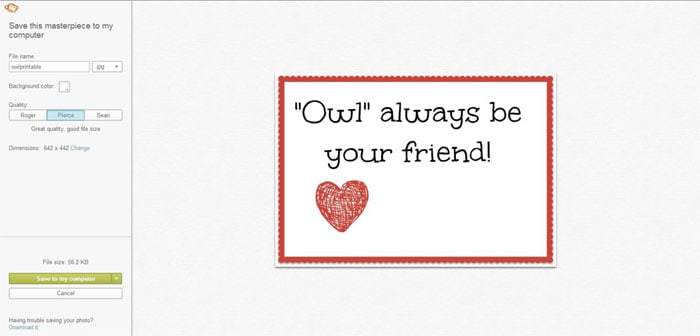
Save as a .jpg file.

picmonkey8

You can open the file as a picture in Microsoft Word.  Then print!

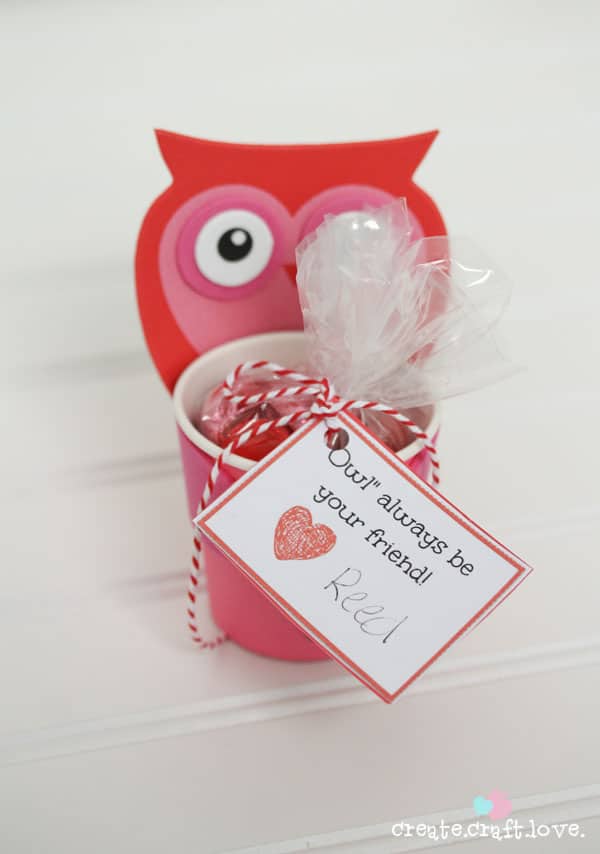
I backed mine with cardstock and then attached to the candy filled bags with some baker’s twine!

Easy peasy!  It took me longer to write this tutorial than to actually do it!

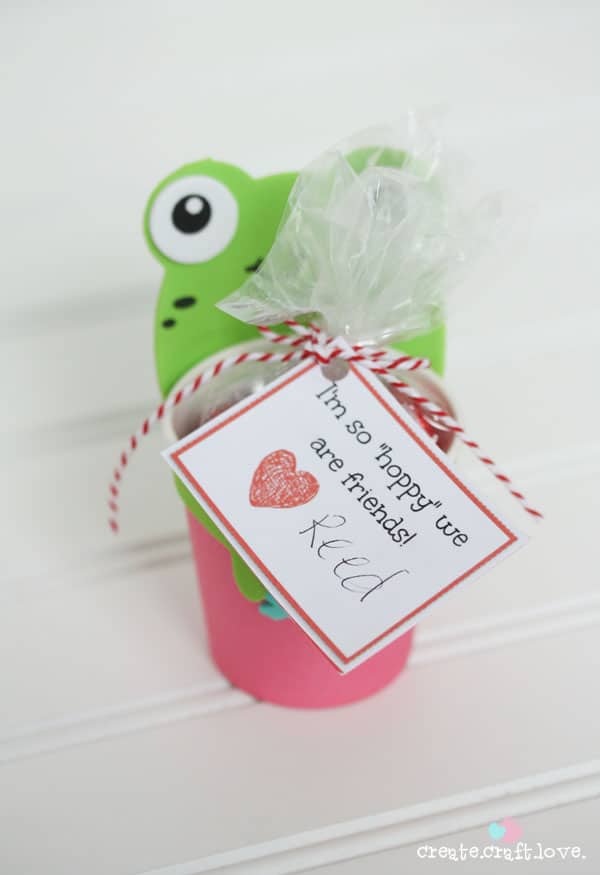
Here are all of the different ones I made to go with Reed’s animal cups!
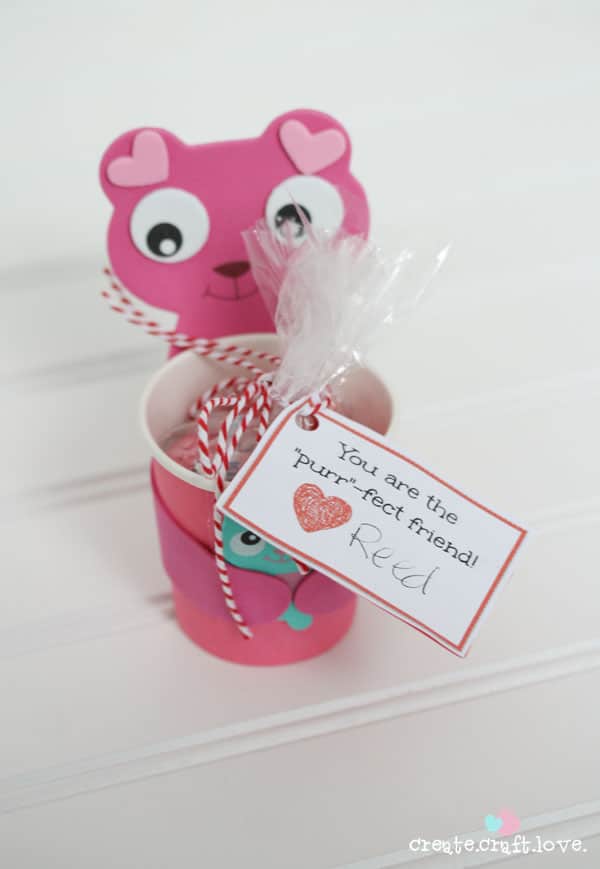
foamvday1wm

foamvday2 copy

foamvday3 copy

I love how they turned out!  Personal yet convenient for today’s busy mama!
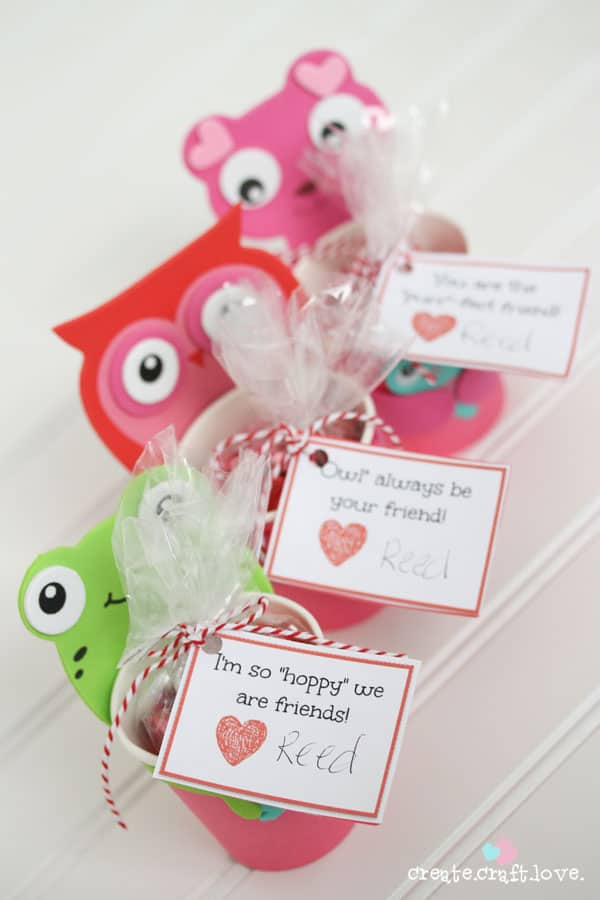
I'm going to show you a simple way to personalize your store bought Valentines and the best part is you still have time to whip them up! #valentinesday #valentinecrafts #printables #tutorial

Looking for more quick and simple last minute Valentine ideas?
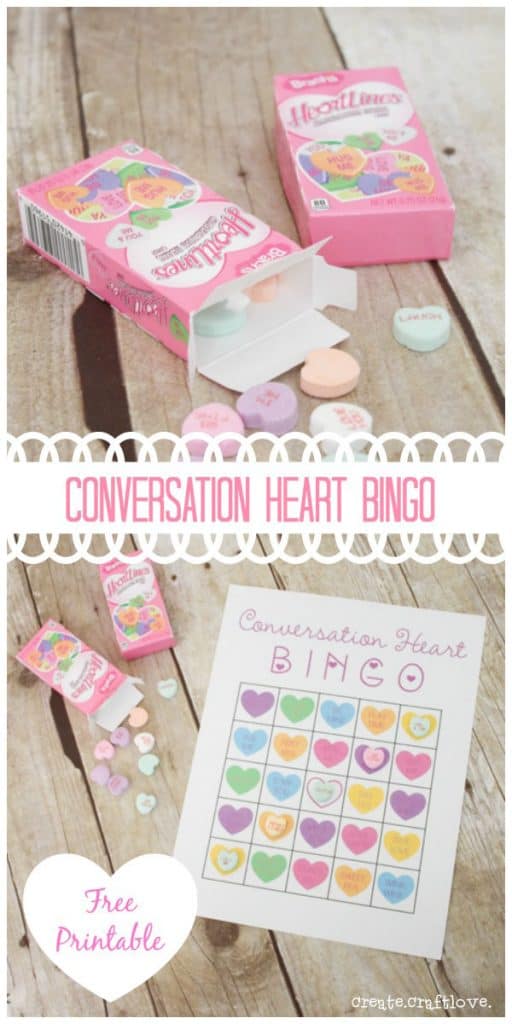
Fun Valentine's Day classroom activity - Conversation Heart Bingo! #printables #kidsvalentines #valentinesday

IMG_3961

Enjoy!!


About Us

We are passionate about sharing simple, fun DIY projects that anyone can tackle—whether you're a seasoned crafter or just getting started. From seasonal décor to everyday crafts, we love inspiring others to make something beautiful with their own two hands.

« Vintage Stamped Coasters
10 DIY Home Makeover Ideas »

Trackbacks

  1. The Creative Connection - Wait Til Your Father Gets Home says:
    February 13, 2014 at

    […] Personalize Your Store Bought Valentines by Create.Craft.Love […]

    Reply
  2. The Creative Connection Party #31 - Chase the Star says:
    February 13, 2014 at

    […] Personalize Your Store Bought Valentines by Create.Craft.Love […]

    Reply
  3. The Creative Connection - 02/13 - Becoming Martha says:
    February 13, 2014 at

    […] Personalize Your Store Bought Valentines by Create.Craft.Love […]

    Reply

Popular Posts

Winter Decorations for After Christmas
This Gold Leaf Mason Jar Vase is keeping with the trends this spring! #spring #gold #goldleaf #masonjars

HALLOWEEN

All you need is TWO things to create this Faux Mercury Glass Candy Bowl!
Here's a fun little Halloween Scavenger Hunt Printable to keep the kiddos occupied! via createcraftlove.com

THANKSGIVING

These Thankful Printables are great to set out on the Thanksgiving table to see what everyone is appreciative of today! via createcraftlove.com
These Pumpkin Spice Cupcakes are everything fall is meant to be! via createcraftlove.com

CHRISTMAS

upclose gift tag
Decorate your Christmas tree with these Handmade Christmas Ornaments that anyone can make!
© 2019 · Create Craft Love·
  • Pinterest
  • Facebook
  • Twitter